
The NWT eServices Portal is getting an upgrade.
The Government of the Northwest Territories (GNWT) is making these changes to:
- give the portal a fresh look that works better on phones, tablets, and computers
- make your account safer by using Two-Factor Authentication (2FA)
- make signing in easier with one email-based login instead of NTKey or Interac Sign-In Partner
The upgrade is planned for March 30, 2026.
What you need to do before March 12, 2026
To make sure you can sign in to your account after the upgrade, check that the email on your eServices account is an email you still use and can open.
You can do this by following the following steps.
- Log into the NWT eServices Portal using your current sign-in option.
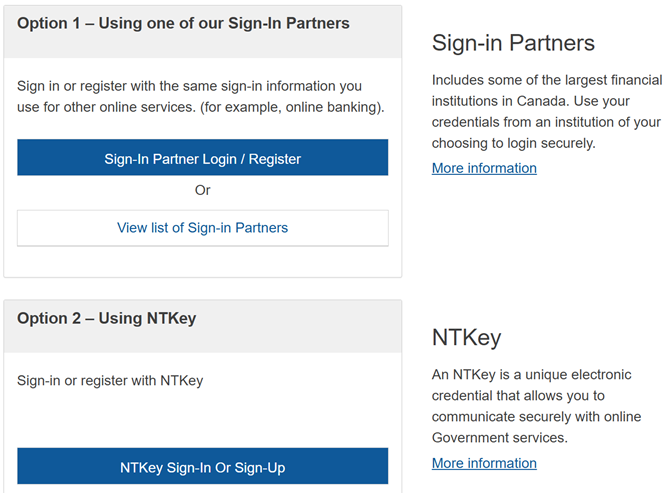
- From the My Services page, select “My Account”
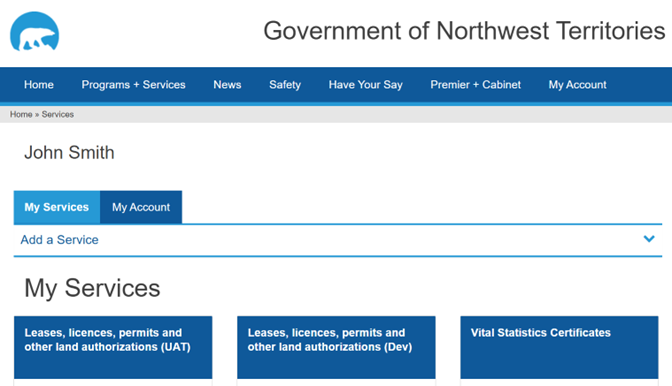
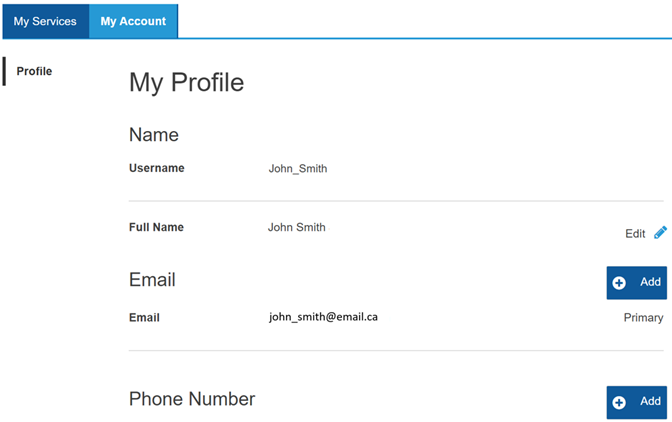
- If the email listed is the one you use and can access, no action is required!
You will use this email to sign in to the upgraded NWT eServices Portal when it is available.
If you no longer use this email address you will need to change it to one you can access. Instructions on how to do that are below.
Changing Your Email Address, if Required
If you no longer use this email address you will need to change it to one you can access.
NOTE: Changing the email address in the NWT eServices Portal will not change it in the individual services. If you have problems accessing a service after changing your email address, please contact eServices support at 1-833-223-1133 or eservice_support@gov.nt.ca.
- In the Email section, Click “Add” .
Enter the new email address and click “Send Verification”.
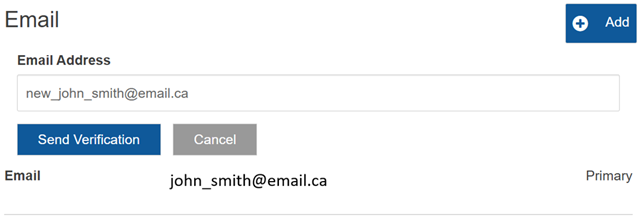
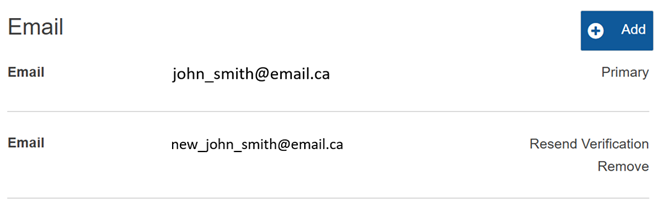
The new email address will be listed, and an email will be sent to verify the address. If you do not see the email in you inbox, be sure to check your Spam/Junk folder.
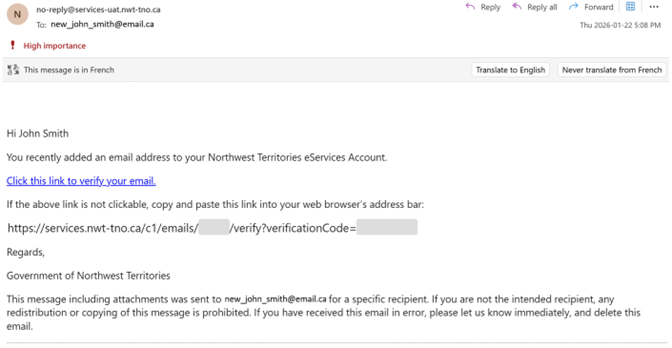
- Click the link in the verification email.
This will verify the email and take you back to the eServices portal.
You may need to log back in.
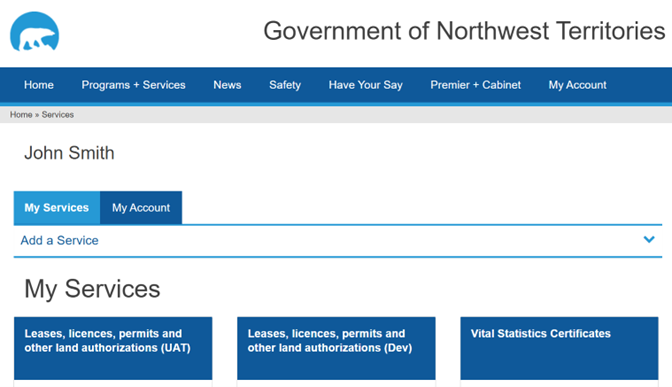
- From the My Services page, select “My Account”
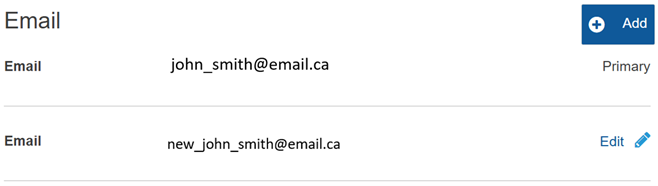
- The new email will now show here.
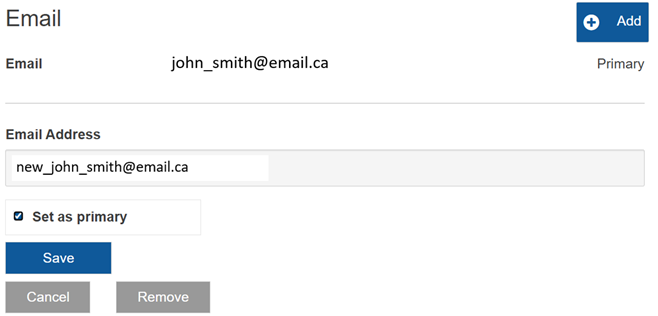
Next, we need to make it the Primary. Click “Edit”
Now we need to make it the Primary. Click “Edit”
- Click “Set as primary” and click “Save”
- The new email address is now the primary email and will be used for the username in the upgraded NWT eServices Portal.
- The last step is to remove the old email address.
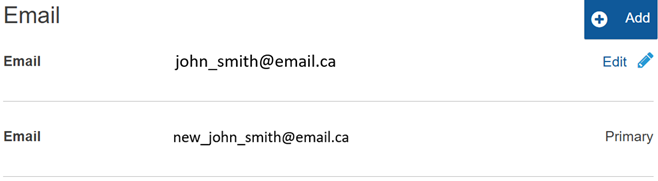
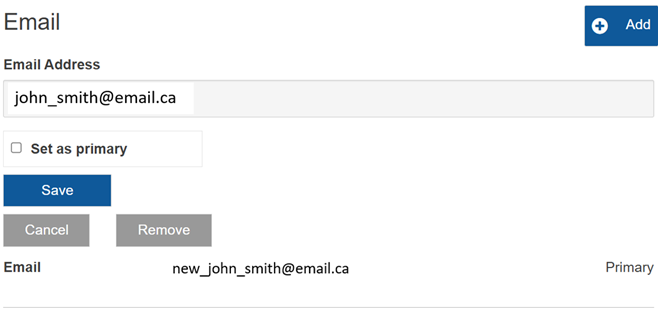
Click “Edit” beside the old email address.
Then Click “Remove”
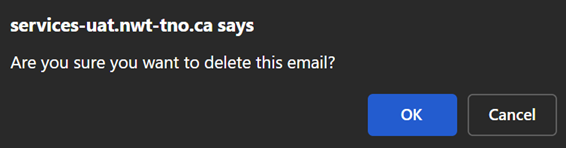
A box will pop up with a confirmation. Click “OK”
The old email address has now been removed.
You will use this email to sign in to the upgraded NWT eServices Portal when it is available.
